
Free drawing lessons from your own photos
Take a photo. Learn to draw it.
Quill turns any photo into a step-by-step lesson, with a hedgehog teacher who shows you every line.
 Your photo
I'll show you every line.

Download it now
 Coming soon
 Coming soon
- Free
- No ads
- No sign-up
- 4 skill levels
How it works
Three steps. You bring the pencil.
-
1 Snap a photo
Your dog, your mug, the view from your window. If you can photograph it, you can draw it.
-

2 Follow Quill's steps
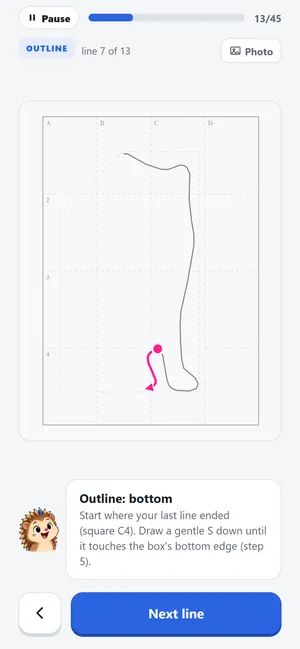
One line at a time. Quill shows where it starts, where it stops, and how hard to press. You draw it on paper.
-
3 Finish your drawing
Big shapes first, details last. Then step back and look at what you just made.
From photo to drawing, one step at a time
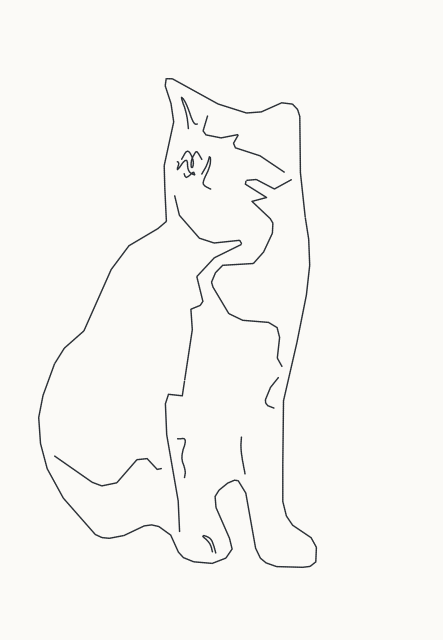
A real Quill lesson. Press play and watch a photo of a cat become a pencil drawing in 45 steps.
Start with a light frame and grid. They help you place everything.
What's in the app
-
Four skill levels
Easy, Medium, Hard, Expert. Start with clean outlines, work up to full shading.
-
Step-by-step guidance
Every step shows where the line starts and ends, with a tip from Quill when it helps.
-
Works on anything
Pets, plants, people, places, your lunch. Any photo becomes a lesson.
-
Free
No ads, no paywall, no sign-up. 2 new photo drawings a day, plus ready-made lessons and a daily challenge.
Same bird, four levels
Each drawing is the finished result of a real Quill lesson made from this photo.

-
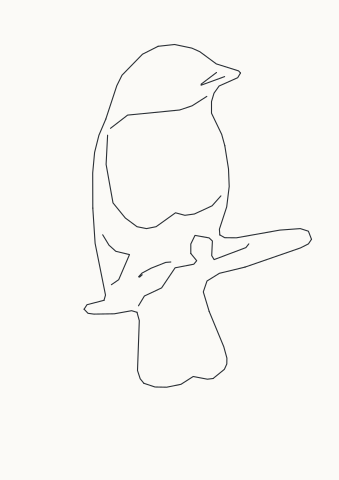
Easy
-
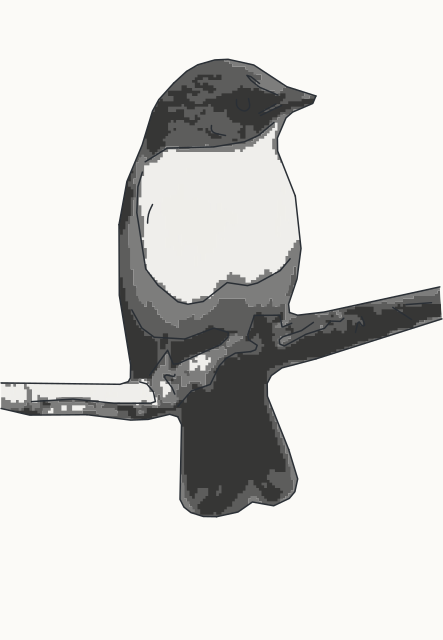
Medium
-
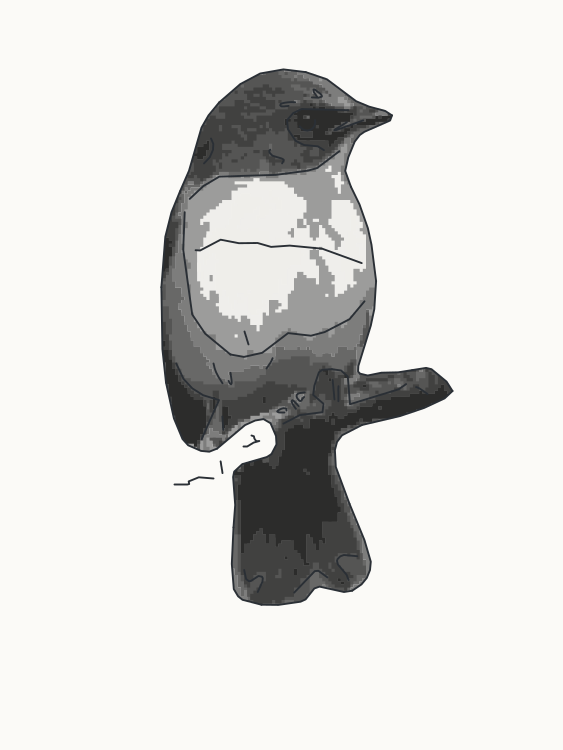
Hard
-
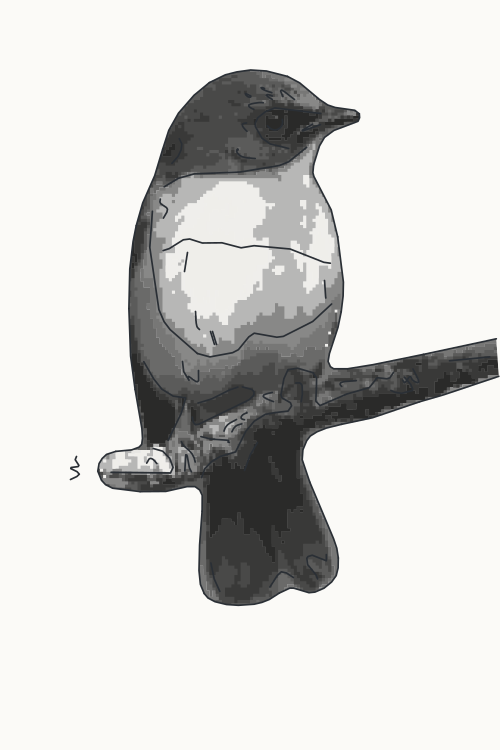
Expert
Press lightly. You can fix it later.
Meet Quill, your drawing teacher
Quill is a hedgehog with pencils for spikes. Patient, a little goofy, and never in a rush.
He picks the next line, tells you where it starts and stops, and cheers when a section is done. Wobbly line? He's fine with it. His are wobbly too.



Tap Quill for another tip.
Questions
Is it free?
Yes. No ads, no paywall, no subscription. You get 2 new photo drawings a day, and the ready-made lessons and the daily challenge are always there.
What can I draw?
Anything you can photograph: pets, plants, food, faces, buildings, landscapes. Photos with one clear subject and good light make the easiest lessons.
Do I need drawing experience?
No. Easy lessons start with a light frame and a few big shapes. Harder levels add shading and detail when you're ready.
What happens to my photos?
Your photo goes to our server to build the lesson, and we don't keep it. Your drawings and progress stay on your phone. The privacy policy has the details.
Who is it for?
Anyone 13 and up who wants to draw: total beginners, people getting back into it, and hobbyists who want a guided warm-up. It's also a nice thing to do together as a family.
Do I draw on my phone?
No. Quill shows each step on the screen and you draw it with a pencil on paper. A4 or US Letter both work: Quill fits the lesson to your paper.
When can I get it?
Android is in closed testing and iPhone is on the way. The download buttons go live the day it's out.

Your next drawing is one photo away
Download it now
Coming soon
Coming soon